
How to Request Accommodations in AIM
How to Request Accommodations in AIM
- Access the AIM portal
AIM Portal - Under the "Student and Staff" section, select the "Sign In" button.
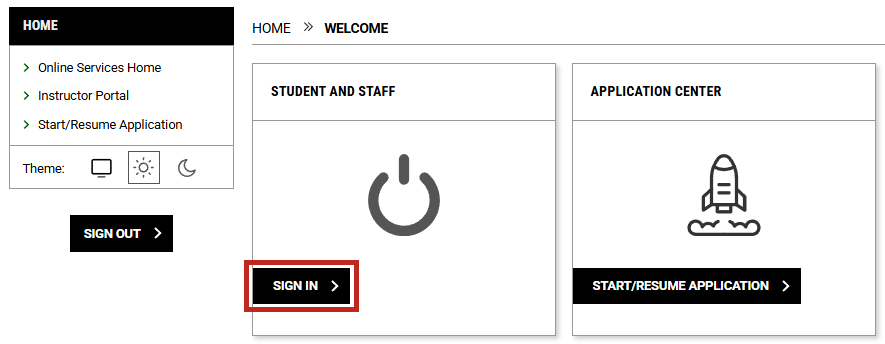
- Scroll down until you see the box titled “Accommodation Requests”
- Click on the square with the plus symbol inside, labelled "Add Requests for..."
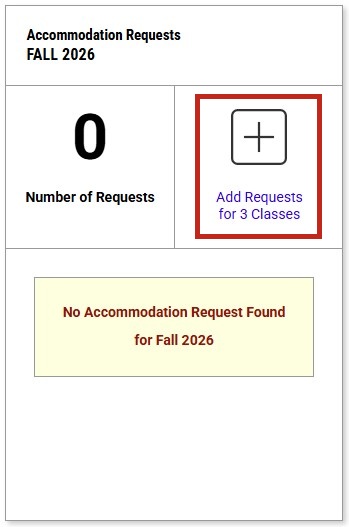
- Click on the square with the plus symbol inside, labelled "Add Requests for..."
- Under the section titled, "Accommodation Requests" select the class/classes you want to request accommodations for, then select the "Continue to Next Step" button.
- The "Apply the same accommodations to all selected courses" option allows you to request the same accommodations to all of your selected courses.
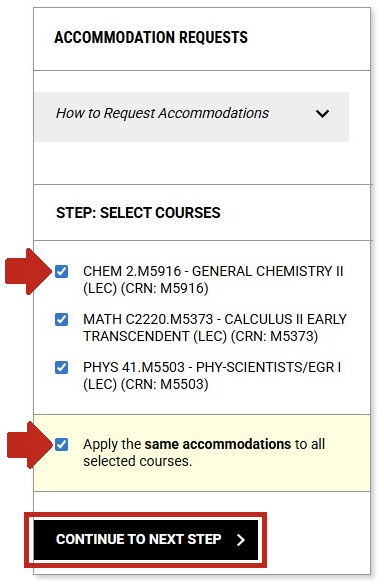
- The "Apply the same accommodations to all selected courses" option allows you to request the same accommodations to all of your selected courses.
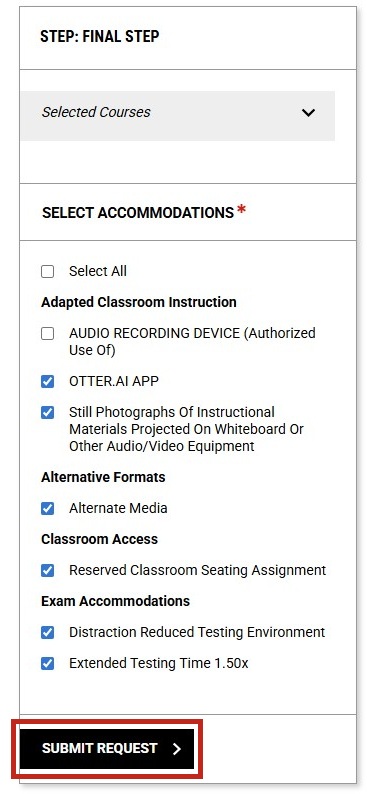
- The “Select All” option will select all accommodations that you are approved for. You can also select the accommodations individually.
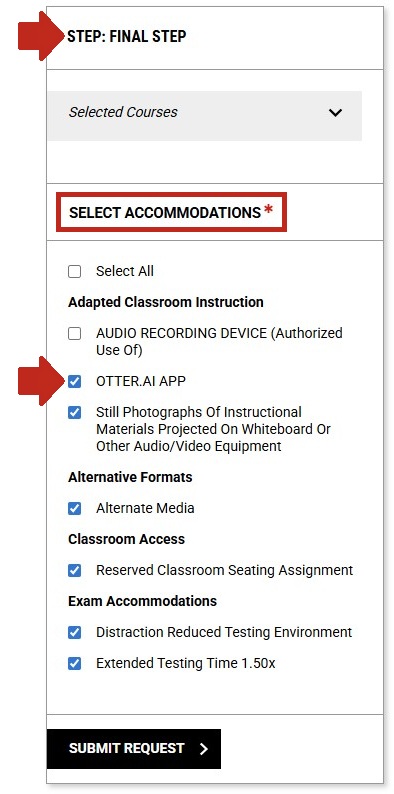
- Once you have selected the accommodations that you want to request, click the "Submit Request" button.
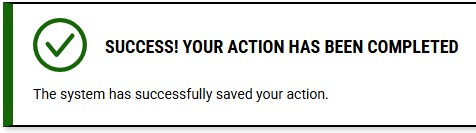
- You're done! If you have any questions contact DSPS.
Contact Us
